Icon of program: iTunes Folder Watch

iTunes Folder Watch for Windows

  • Trial version
  • 3.5
    10
  • 4.2K
  • V2.1.16
Download for Windows

View an ad to download for free

Automatically add your music to iTunes

While iTunes is an amazing music management application, it's not great when it comes to importing tracks from your hard drive to the iTunes library.

Top Recommended Alternative

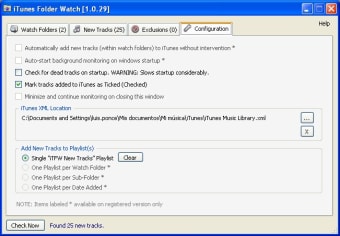
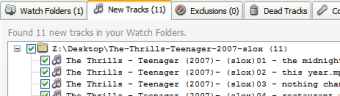
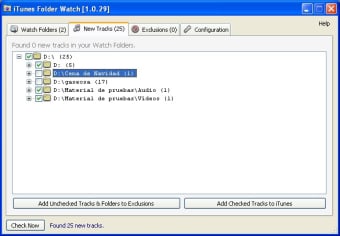
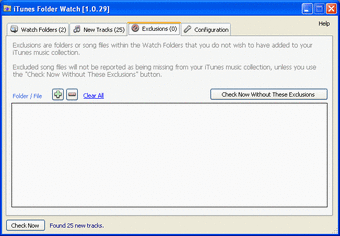
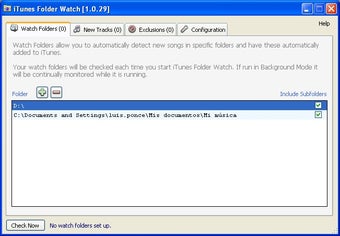
Normally if you want to add music files to the iTunes library there are only two options - you have to add them manually or let iTunes store files on your system folder. iTunes Folder Watch is constantly on the lookout for new tunes that have been added to your hard drive and then automatically adds them to your iTunes library. The program runs in the background and doesn't actually indicate when it's working or triggered but you will notice that files have been added to your iTunes library. It works basically as a background process although you can bring it into the foreground if you choose. Note that you'll need iTunes version 6 or above for iTunes Folder Watch to work correctly. In this trial version, some folder management features have been disabled and you are bugged by a nag screen to purchase an upgrade to the full version. The licence key that they give you also works with iTunes Album Browser so if you do upgrade, you're effectively getting two programs for one.

If iTunes is not managing your newly added music the way you wished it would, then you may find this program hits the spot.

  • Pros

    • Updates iTunes immediately with new music
    • Works quietly in the background
  • Cons

    • Doesn't tell you when iTunes library is being updated
 0/5

App specs

  • Developer

  • License

    Trial version

  • Version

    2.1.16
  • Latest update

  • Platform

    Windows

  • OS

    Windows Vista

  • Language

    English

  • Downloads

    4.2K

  • Size

    629.76 KB

Program available in other languages


Icon of program: iTunes Folder Watch

iTunes Folder Watch for PC

  • Trial version
  • 3.5
    10
  • 4.2K
  • V2.1.16
Download for PC

View an ad to download for free


User reviews about iTunes Folder Watch

Have you tried iTunes Folder Watch? Be the first to leave your opinion!

Add review

You may also like

Alternatives to iTunes Folder Watch

Explore Apps

Latest articles

Laws concerning the use of this software vary from country to country. We do not encourage or condone the use of this program if it is in violation of these laws.
Softonic

Is iTunes Folder Watch safe?

100/100

Score result: Clean

This file passed a comprehensive security scan using VirusTotal technology. It is safe to download.

  • Virus free
  • Spyware free
  • Malware free
  • Verified by Security Partners

    VirusTotal logo

Scan Info

Last scan
Friday, July 9, 2021
Scan provider
VirusTotal · Full report

File Integrity

File
iTunesFolderWatchSetup2116.msi
SHA256
5d4242b310950150ebfd9c4f7b95c9bcde2caa91905b043ccdea0e9a4cc037be
SHA1
b3678b710c931fe3e99ff99708b56211afe90801

Softonic security commitment

iTunes Folder Watch has been thoroughly scanned by our advanced security systems and verified by industry-leading partners. This file comes from the official developer and has passed all our security checks, showing no signs of viruses, malware, or spyware. For more information, visit our Security and Trust Center

Signed in to Softonic as